

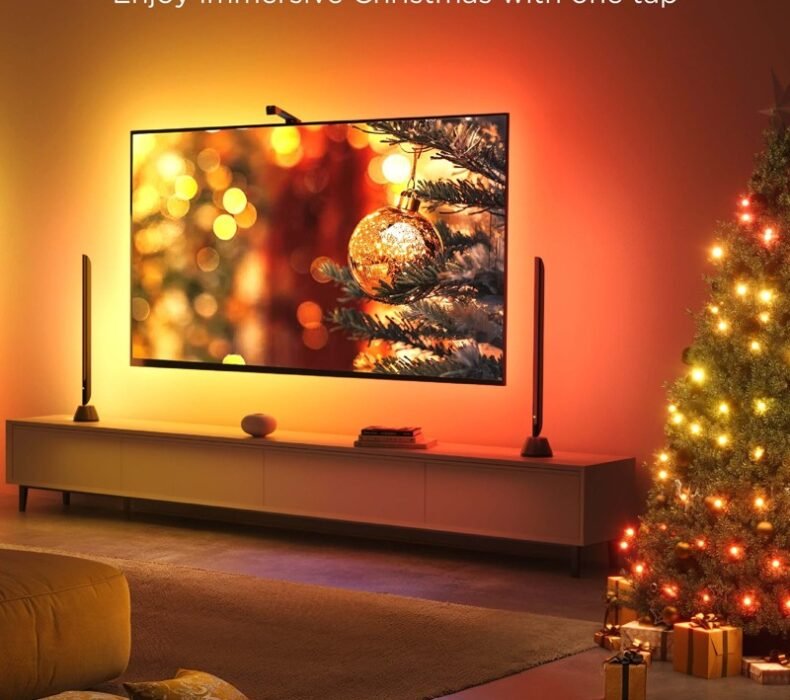
The Govee TV Backlight 3 Lite is the best smart LED strip for TV bias lighting under ฿1,500 in Thailand right now. At ฿790–฿1,290 on Lazada, it fits TVs from 40 to 65 inches, produces true multi-color RGBIC segments (not a single color at once like cheaper strips), and syncs to music, scenes, or manual app control via the Govee Home app. If you want to add ambient lighting behind your TV without spending ฿3,000+ on Philips Hue Play, this is the strip to buy.
Quick Specs
| LED type | RGBIC (multi-color per segment simultaneously) |
| TV size compatibility | 40″–65″ |
| Control | Govee Home app (iOS + Android), voice, IR remote |
| Voice assistants | Amazon Alexa, Google Home |
| Music sync | Yes — mic-based, responds to beat |
| Segments | Multiple independent color zones |
| Power supply | USB (plugs into TV USB port or USB adapter) |
| Connectivity | 2.4GHz Wi-Fi |
| Price (Lazada TH) | ฿790–฿1,290 |
RGBIC vs Basic RGB: Why It Matters for TV Bias Lighting
Standard RGB LED strips show one color at a time across the entire strip. Every segment glows the same shade simultaneously. That’s fine for desk edge lighting or cabinet underlighting where a single-color wash looks intentional.
For TV bias lighting, it looks cheap. When a film cuts from a blue ocean scene to a warm indoor scene, a basic RGB strip either stays static or changes all at once. RGBIC strips have individually addressable segments — so the left side of your TV can show deep blue while the right side shows warm amber, matching what’s on screen. The 3 Lite doesn’t have a camera for real-time screen color matching (that’s the higher-tier Govee models), but its scene modes and dynamic color cycling are significantly more visually convincing than non-RGBIC alternatives at the same price.
Installation on Thai TV Sizes
The 40″–65″ size range covers the most common TV sizes in Thai homes and condos: 43″, 50″, 55″, and 65″ are the dominant screen sizes sold on Lazada Thailand. Installation takes under 15 minutes:
- Clean the back edge of your TV with the included alcohol wipe
- Peel the 3M adhesive backing on the LED strip
- Press the strip around the perimeter of the TV panel — start from the bottom center, work up the sides and across the top
- Plug the USB end into the TV’s USB port (most modern Samsung, LG, Sony, and TCL TVs have one) or into the included USB power adapter
- Connect to Wi-Fi via the Govee Home app and you’re done
One Thailand-specific note: the strip works fine at 220V through any standard USB adapter. The power draw is minimal (under 10W), so there’s no heat concern even in Bangkok’s ambient temperatures. The 3M adhesive holds well on plastic and metal TV backs — just make sure the surface is clean and dry before applying.
For a 55″ TV (the most popular size in Thai condos), the strip runs cleanly around three sides with a manageable amount of excess. Corner pieces help keep the strip from kinking at the TV edges. They’re included in the box.
Govee Home App: Scenes, Scheduling, and Thai Market Usability
The Govee Home app is available in English on the Thai App Store and Google Play — no Thai-language version currently, but the interface is intuitive enough that it’s not a barrier. Setup involves creating a Govee account, connecting to 2.4GHz Wi-Fi (not 5GHz — this matters in condos with dual-band routers), and scanning for the device.
Scene library has over 60 presets: Sunrise, Candlelight, Nordic Aurora, Campfire, and dozens of others. For a home cinema or condo living room setup, the “Movie” and “Gaming” scenes produce the most visually immersive bias lighting — darker backgrounds with slower color transitions that don’t distract from the screen. The music sync mode reacts to bass beats and works well for background music; for TV audio it picks up the TV speakers if you’re within a few meters.
You can also create custom scenes, set brightness schedules (useful for automatically dimming at 11pm), and group multiple Govee devices if you have LED strips elsewhere in your setup.
Music Sync and Gaming Setups
The built-in microphone detects ambient sound and translates it into color changes on the strip. For music, this works well — the LEDs pulse with the beat, change color with the energy level, and look genuinely dynamic at a party or during a late-night gaming session in a dark room.
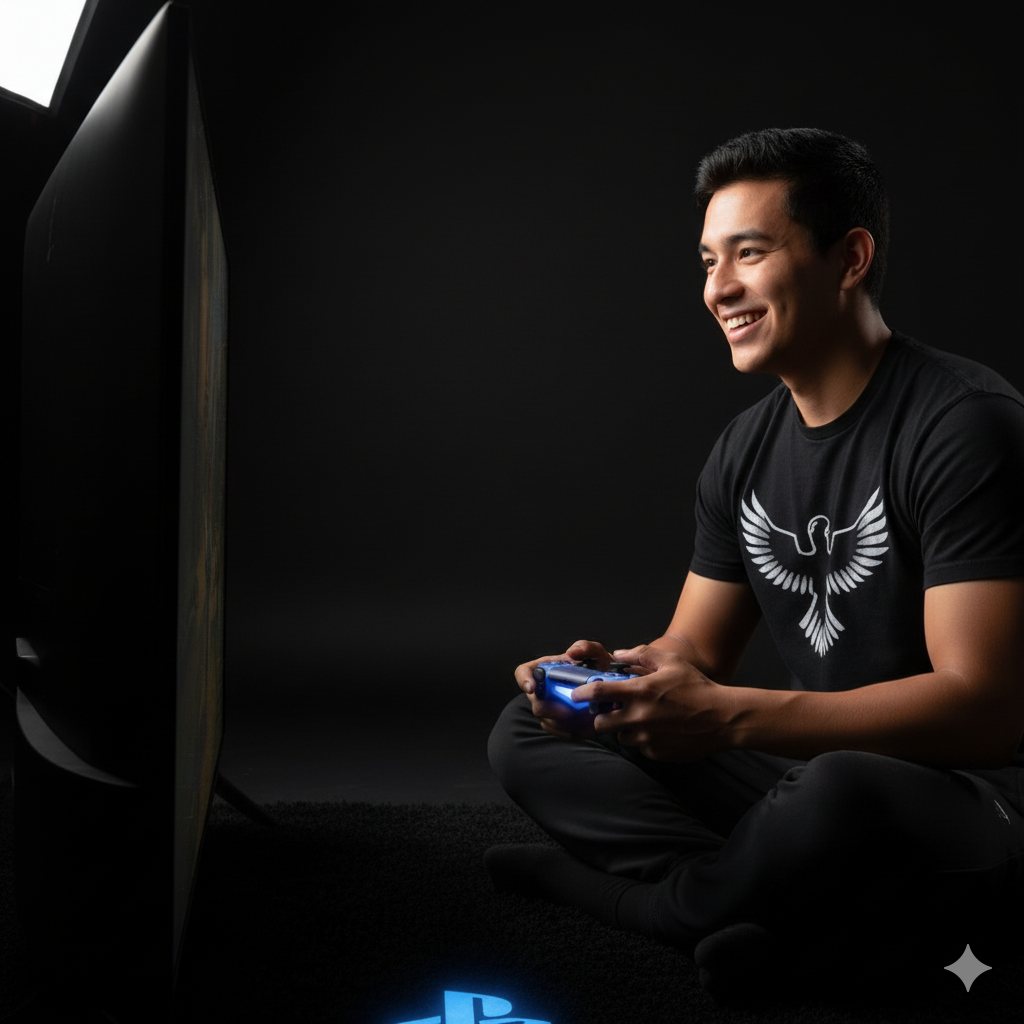
For gaming setups in Thai condos — which often means a TV as a monitor rather than a separate desk display — the 3 Lite adds noticeable ambiance. Running a warm amber static scene while gaming creates the kind of backlighting that reduces eye strain from the bright screen in a dark room. That’s actually a measurable benefit: TV bias lighting reduces the contrast between the bright panel and dark surroundings, which reduces eye fatigue during long sessions.
Alexa and Google Home Integration
Both Alexa and Google Home work with the Govee Home app via the Govee skill (Alexa) and Google Home action. You can say “Hey Google, turn off the TV lights” or “Alexa, set TV lights to blue” and it works. Response time is under 2 seconds in normal Bangkok/Chiang Mai home Wi-Fi conditions.
For anyone already running a Google Home or Nest speaker setup — common in Bangkok condo smart home configurations — the Govee 3 Lite slots in cleanly. The Philips Hue ecosystem requires the Hue Bridge for full functionality and costs significantly more; Govee’s direct Wi-Fi approach is simpler and cheaper for people who just want TV bias lighting without building out a full smart lighting infrastructure.
Govee TV Backlight 3 Lite vs Philips Hue Play
The Philips Hue ecosystem produces superior color accuracy and syncs to screen content in real time via the Hue Sync box. But the Hue Play bar setup for a single TV starts at ฿4,000–฿6,000+ plus the Sync Box at ฿6,000+. That’s ฿10,000–฿12,000 for what the Govee 3 Lite does for ฿790–฿1,290.
The trade-off is honest: Hue gives you true screen-reactive bias lighting with precise color matching; Govee gives you dynamic, attractive backlight modes that aren’t screen-reactive but look great in a dark room. For casual movie watching and gaming in a Thai condo, the Govee is the practical choice. Hue is for serious home theater setups where color accuracy is part of the point.
Thailand Price, Warranty, and Where to Buy
At ฿790–฿1,290, this is priced at impulse-buy territory for anyone furnishing or upgrading a living room. Buy from Govee’s official store on Lazada or authorized sellers — grey market on strips like this isn’t a major risk since there’s no complex warranty service needed, but the official store version comes with local customer support.
Govee doesn’t have the same Thai warranty center infrastructure as Xiaomi or Samsung, but for a product at this price point it’s reasonable — if the strip fails, Lazada’s standard buyer protection covers returns within 15 days. The power adapter is rated 100–240V, so 220V Thailand compatibility is confirmed.
For context on the wider smart lighting landscape in Thailand, see our roundup of the 5 best smart lights in Thailand 2026.
- RGBIC allows independent color segments — significantly better than basic RGB strips at the same price
- Fits 40″–65″ TVs — covers every common Thai condo screen size
- Govee Home app scene library has 60+ presets including gaming and movie modes
- Google Home and Alexa integration works reliably
- USB power — plugs directly into TV USB port, no separate cable run needed
- No screen-reactive color sync — colors don’t match what’s playing on screen (requires the higher-tier Govee Immersion model)
- Music sync microphone picks up room noise, not just TV audio — can react to voices or background sounds
- 2.4GHz only — won’t connect to 5GHz networks (you need to be on the 2.4GHz band during setup)
Who Should Buy the Govee TV Backlight 3 Lite?
Buy this if you want to make your TV setup look better without spending serious money. A dark room with LED bias lighting behind the screen looks dramatically different from a bare TV on a white wall — the Govee 3 Lite achieves that effect for under ฿1,300. It’s also the right pick for renters in Thai condos who want smart lighting they can take with them when they move (peel-and-stick, no drilling, plugs into TV USB).
Also a practical choice if you’re building a gaming setup around a TV in your condo. The Gaming scene mode and music sync add atmosphere during sessions without the noise and clutter of a full Razer or Corsair RGB setup.
Skip this if you want screen-reactive bias lighting that matches what’s actually playing — for that, you need the Govee Immersion (with the camera) or Philips Hue Sync (with the Sync Box). The 3 Lite sets a mood; it doesn’t mirror your screen content. Also skip it if your TV doesn’t have a rear USB port and you’re not sure where to route the power cable — check your TV back panel before ordering.
Verdict
At ฿790–฿1,290, the Govee TV Backlight 3 Lite is a straightforward upgrade for any TV setup in a Thai condo. The RGBIC multi-color segments produce genuinely attractive ambient lighting — well above what basic RGB strips at this price look like — and the Govee Home app plus Google Home / Alexa integration make it feel like a smart home product, not a budget LED strip. If you want screen-reactive bias lighting, spend more. For everything else, this is the pick.

Ploy covers smart home technology, kitchen appliances, and connected living for ElectroThailand. Based in Bangkok, she has spent four years testing everything from robot vacuums to smart locks in real Thai apartment conditions — small rooms, humid summers, and 220V Thai power grids. Her reviews focus on what actually simplifies daily life, not just what looks good on a spec sheet.