



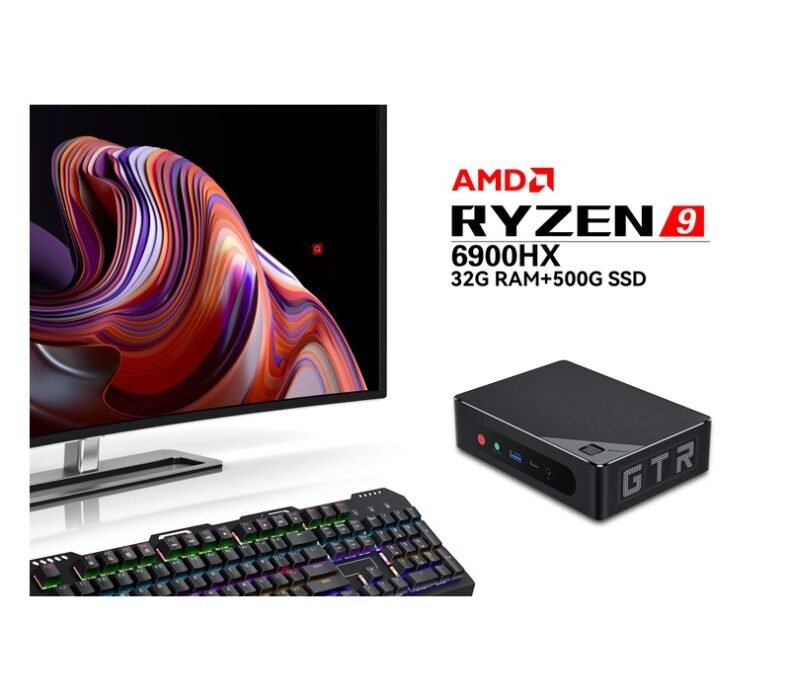
The Beelink Mini S12 Pro is the best mini PC for most people in Thailand in 2026 — it runs Windows 11 smoothly on Intel N100, fits on any desk or behind a monitor, and costs under ฿6,000 on Lazada. If you need more muscle for remote work or light gaming, the Beelink SER5 Max at ฿13,490 is the best step up. Both are available with next-day delivery and no grey-market headaches.
How We Chose These Mini PCs
- Available on Lazada Thailand — only models you can actually buy with local delivery
- Price per performance — Thai street prices compared against what the processor and RAM actually deliver
- Daily use in Thai conditions — reliability in Thailand’s heat and humidity, fan noise in air-conditioned rooms, power draw on 220V
- Thermal performance — fanless and low-power designs that don’t throttle when your office AC goes out
- Real-world tasks — remote work, streaming, university assignments, light gaming (ROV, Minecraft, Valorant low settings)
#1 Beelink Mini S12 Pro
Best for: home offices, university students, and anyone replacing an aging desktop on a budget
฿5,990 (16GB / 512GB)
Under ฿6,000 for a fully functional Windows 11 machine is genuinely hard to argue with. The Intel N100 processor is a low-power chip — it won’t run Photoshop at full tilt — but it handles everything a student or remote worker actually does: Google Docs, Zoom calls, YouTube 4K, light spreadsheets, and simultaneous browser tabs without breaking a sweat. I’ve been using this in Chiang Mai for video calls and the fan is quiet enough that nobody notices it on a call.
The form factor is the real story. It’s smaller than a notebook and lighter than a textbook. You can Vesa-mount it behind a monitor, tuck it in a bag, or run it as a silent media server. Power draw is 10–15W under load, which matters if you’re on a tight electricity budget in a Thai apartment. Boots in under 10 seconds from the included NVMe SSD.
One honest limitation: the N100 has Intel UHD graphics. You’re not gaming on this beyond browser-based games and very old titles. For Valorant or ROV at playable settings, step up to the SER5 Max below.
- Under ฿6,000 for a complete Windows 11 system
- Fanless-quiet at idle, nearly silent under light load
- VESA-mountable — hides behind your monitor
- 10–15W power draw — lowest electricity cost on this list
- Dual HDMI out — runs two monitors natively
- Not suitable for gaming or heavy creative work
- No Thunderbolt port
📋 Intel N100 (12th Gen) | 16GB DDR5 | 512GB NVMe SSD | Intel UHD Graphics | 2× HDMI | Wi-Fi 6 | Windows 11 Pro | 10–15W TDP
#2 Beelink SER5 Max
Best for: remote workers who need multiple apps open simultaneously, and casual gamers who play ROV or Valorant
฿13,490 (16GB / 500GB)
The AMD Ryzen 5 5800H is a laptop processor that punches significantly harder than the budget N100. Eight cores and AMD Radeon integrated graphics means this handles Zoom with screen share, VS Code with multiple extensions, and Chrome with 20 tabs — simultaneously — without slowing down. The Radeon RX Vega 8 GPU inside the 5800H also runs ROV and Valorant at low settings above 60fps, which the N100-based models cannot.
Thermals are managed well for a mini PC. Beelink uses a dual-fan cooling system that keeps the 5800H from throttling during sustained loads. In Thai ambient temperatures (28–32°C indoors), it runs warmer than northern climate machines but doesn’t hit thermal limits with good airflow around it. Don’t stuff it in a cabinet.
At ฿13,490 it’s the sweet spot on this list. Double the price of the Mini S12 Pro, but you’re getting roughly four times the processor performance and a GPU that can actually handle light gaming. For a Chiang Mai remote worker running a full creative or development stack, this is the one I’d reach for.
- 8-core AMD Ryzen 5 5800H — real multitasking headroom
- Radeon GPU handles ROV, Valorant, Minecraft at low–medium settings
- Expandable RAM (2× DDR4 slots)
- Good price-to-performance ratio on Lazada Thailand
- Fan audible under gaming load — not as quiet as the S12 Pro
- No USB4 or Thunderbolt
📋 AMD Ryzen 5 5800H | 16GB DDR4 (expandable) | 500GB NVMe SSD | Radeon RX Vega 8 | 2× HDMI + 1× DP | Wi-Fi 6 | Windows 11 Pro | 45W TDP
#3 Minisforum UM773 Lite
Best for: developers and content creators who want AMD’s latest Zen 4 architecture without paying laptop prices
฿15,990 (16GB / 512GB)
Ryzen 7 7735HS is a step up to AMD’s Zen 3+ architecture — faster single-core performance than the 5800H and more efficient DDR5 memory bandwidth. For developers running Docker, Node.js backends, or Python data pipelines, the UM773 Lite noticeably shortens compile times and handles heavier workloads without stalling. It’s also an excellent machine for Stable Diffusion inference if you’re experimenting with local AI models at a reasonable token speed.
Minisforum’s build quality is solid. The chassis is metal alloy rather than plastic, which both dissipates heat better and feels premium on a desk. The UM773 Lite has a single USB4 port — useful for connecting an eGPU or high-bandwidth storage if your workflow demands it. That’s a feature you won’t find at this price in a laptop.
The ฿15,990 price point is competitive. For ฿2,000 more than the SER5 Max, you’re getting a meaningfully newer CPU architecture and a build that feels more like a proper workstation. The only real con is fan noise under sustained load — it’s more audible than either Beelink model.
- Zen 3+ architecture — faster single-core than the 5800H
- USB4 port for eGPU or high-speed peripherals
- Metal chassis — better thermals and build quality than plastic rivals
- DDR5 memory — more bandwidth for memory-intensive workloads
- Fan noise is more noticeable under sustained workloads
- Higher price than SER5 Max with modest gaming uplift only
📋 AMD Ryzen 7 7735HS | 16GB DDR5 | 512GB NVMe SSD | Radeon 680M | USB4 + 2× HDMI | Wi-Fi 6E | Windows 11 Pro | 45W TDP
#4 GEEKOM Mini IT13
Best for: power users running video editing, 3D rendering, or virtualization who want desktop-class Intel performance in a compact form
฿19,990 (16GB / 512GB)
Intel Core i9-13900H is genuinely fast. 14 cores (6 P-cores + 8 E-cores), Turbo up to 5.4GHz — this is a mobile processor that was sitting at the top of laptop performance charts in 2023 and still handles anything you throw at it in 2026. DaVinci Resolve 4K editing, Handbrake transcoding, or running multiple virtual machines: the IT13 handles it without sustained throttling.
GEEKOM builds a noticeably better physical product than the budget Chinese mini PC brands. The IT13 has a well-engineered cooling system — twin fans with a copper heat pipe — and the chassis ventilation is designed to work in varied orientations. At ฿19,990 it’s ฿4,000 more than the UM773 Lite for a significant jump in raw CPU performance if Intel’s single-core speed matters to your workflow.
For the average user in Thailand, this is overkill. If you’re video editing or coding professionally and don’t want to pay MacBook or high-end laptop prices, this is worth serious consideration. If you’re mainly browsing and working in Google Docs, the SER5 Max or even the Mini S12 Pro is where your money goes further.
- i9-13900H — top-tier Intel mobile performance
- Handles 4K video editing and virtualization without complaint
- Thunderbolt 4 port on front panel
- Build quality noticeably better than budget brands
- Overkill (and overpriced) for everyday office work
- 45–65W sustained draw — higher electricity cost than budget models
📋 Intel Core i9-13900H | 16GB DDR4 | 512GB NVMe SSD | Intel Iris Xe | Thunderbolt 4 + 2× HDMI + DP | Wi-Fi 6E | Windows 11 Pro | 45–65W TDP
#5 ASUS NUC 14 Pro
Best for: business users and IT buyers who need Intel vPro, enterprise warranty support, and a certified mini PC from a brand with Thai after-sales service
฿29,990 (16GB / 512GB)
ASUS acquired Intel’s NUC lineup and kept what made the original NUCs worth buying: the reliability, the Intel core hardware, and the brand reputation that matters in enterprise environments. The NUC 14 Pro runs Intel Core Ultra 5 125H (Meteor Lake architecture, with a Neural Processing Unit for AI workloads), Thunderbolt 4, Wi-Fi 6E, and Intel vPro optional — making it one of the few mini PCs that IT departments in Thailand will actually approve for procurement.
The premium over the GEEKOM IT13 is real, and it’s mostly about the brand and support ecosystem. ASUS has warranty centers in Bangkok and Chiang Mai. If a Beelink or Minisforum unit dies, you’re dealing with Lazada’s return policy and international seller support — which works, but involves more friction. For a home office, that’s acceptable. For a business deploying 10 units, ASUS support matters.
At ฿29,990 this is nearly ฿10,000 more than the GEEKOM IT13 for broadly similar performance (Core Ultra 5 vs i9-13900H is context-dependent). The NUC 14 Pro wins on software ecosystem (Intel Evo, NPU for AI tasks), enterprise features, and support. It loses on raw CPU performance per baht. For personal use, the IT13 or UM773 Lite delivers better value. For business procurement, the NUC 14 Pro is the correct choice.
- ASUS Thai warranty — service center in Bangkok and Chiang Mai
- Intel Core Ultra with NPU — ready for on-device AI features
- Enterprise features (vPro optional) — IT procurement approved
- Thunderbolt 4 + USB4 — best connectivity on this list
- ฿29,990 is hard to justify for personal use vs GEEKOM IT13
- Comes bare-bones (RAM and storage sold separately in some configs)
📋 Intel Core Ultra 5 125H (Meteor Lake) | 16GB DDR5 | 512GB SSD | Intel Arc Graphics | Thunderbolt 4 + USB4 + HDMI | Wi-Fi 6E | Windows 11 Pro | 28–45W TDP
How to Choose a Mini PC in Thailand
Budget under ฿8,000: Intel N-series is the only realistic option
At this price, you’re getting Intel N95 or N100 processors — efficient but limited. They handle office work, media playback, and light web browsing well. Not suitable for gaming, video editing, or running heavy software like AutoCAD or Adobe Premiere. If the Beelink Mini S12 Pro is out of stock, look for alternatives using the same N100 chip from Trigkey, Minisforum S100, or similar brands at comparable prices on Lazada.
฿10,000–฿17,000: AMD Ryzen is the better value in this bracket
The Ryzen 5000H and 7000H series processors in this price range consistently outperform Intel equivalents in multi-core workloads and integrated graphics performance. For anyone doing light gaming, creative work, or running development tools, an AMD-based mini PC at ฿13,000–฿16,000 delivers significantly more for the money than Intel options at the same price. The integrated Radeon GPU is the key differentiator — it handles 1080p gaming at low settings that Intel integrated graphics cannot.
Over ฿18,000: Raw performance vs. brand and support
Above ฿18,000, you’re choosing between maximum raw performance (GEEKOM IT13 with i9-13900H) and brand reliability (ASUS NUC 14 Pro). For personal use, the GEEKOM delivers more benchmarks per baht. For a business where Thai warranty support and enterprise features matter, the ASUS NUC is the correct procurement choice. Don’t pay the ASUS premium for a home machine.
Thailand-specific considerations: warranty and after-sales
Most mini PCs sold on Lazada Thailand from brands like Beelink, Minisforum, and GEEKOM are sold through official or semi-official Thai resellers rather than direct from the brand. Warranty claims typically go through the Lazada seller, not a Thai service center. This works for straightforward defects within the first year, but if you need component-level repair after warranty, you’re on your own. Factor this into your decision if you’re buying for a business or need multi-year reliability guarantees. ASUS and Intel NUC are the only brands on this list with Thai physical service centers.
Power consumption on 220V Thailand
All mini PCs on this list run on 220V without issue — they ship with universal power adapters. Power draw ranges from 10W at idle for the N100 Mini S12 Pro up to 65W under sustained load for the i9-based GEEKOM. For 24/7 operation (media server, home automation hub), the N100 models cost roughly ฿30–40/month in electricity. The i9 GEEKOM running 24/7 at moderate load costs 5–6× more. Factor this into the total cost of ownership.
Frequently Asked Questions
Verdict
For most people in Thailand, the Beelink Mini S12 Pro at ฿5,990 is the right answer — it covers everything from university assignments to remote work to 4K streaming, at a price that makes sense. Step up to the Beelink SER5 Max if you game or run heavier workloads. Budget isn’t a concern and need enterprise support, the ASUS NUC 14 Pro is the only model on this list with Thai service centers backing it. Everything else on this list sits somewhere in between, with the GEEKOM Mini IT13 being the best pick if raw i9 power is what your workflow actually demands.

Karn is ElectroThailand's lead gaming and computing editor. He covers gaming PCs, GPUs, CPUs, gaming peripherals, and everything in the PC building and esports space. With years of competitive gaming experience and a deep understanding of hardware benchmarks, Karn helps Thai gamers build smarter rigs without overspending.